
Quick phrases
Start with quick phrases and organize common items according to your actual work needs.

Every product detail, design, and button is crafted with the user experience in mind

Don't see the app you need? Contact us to help adapt it for you

Supports multiple users on one account with cloud data sync
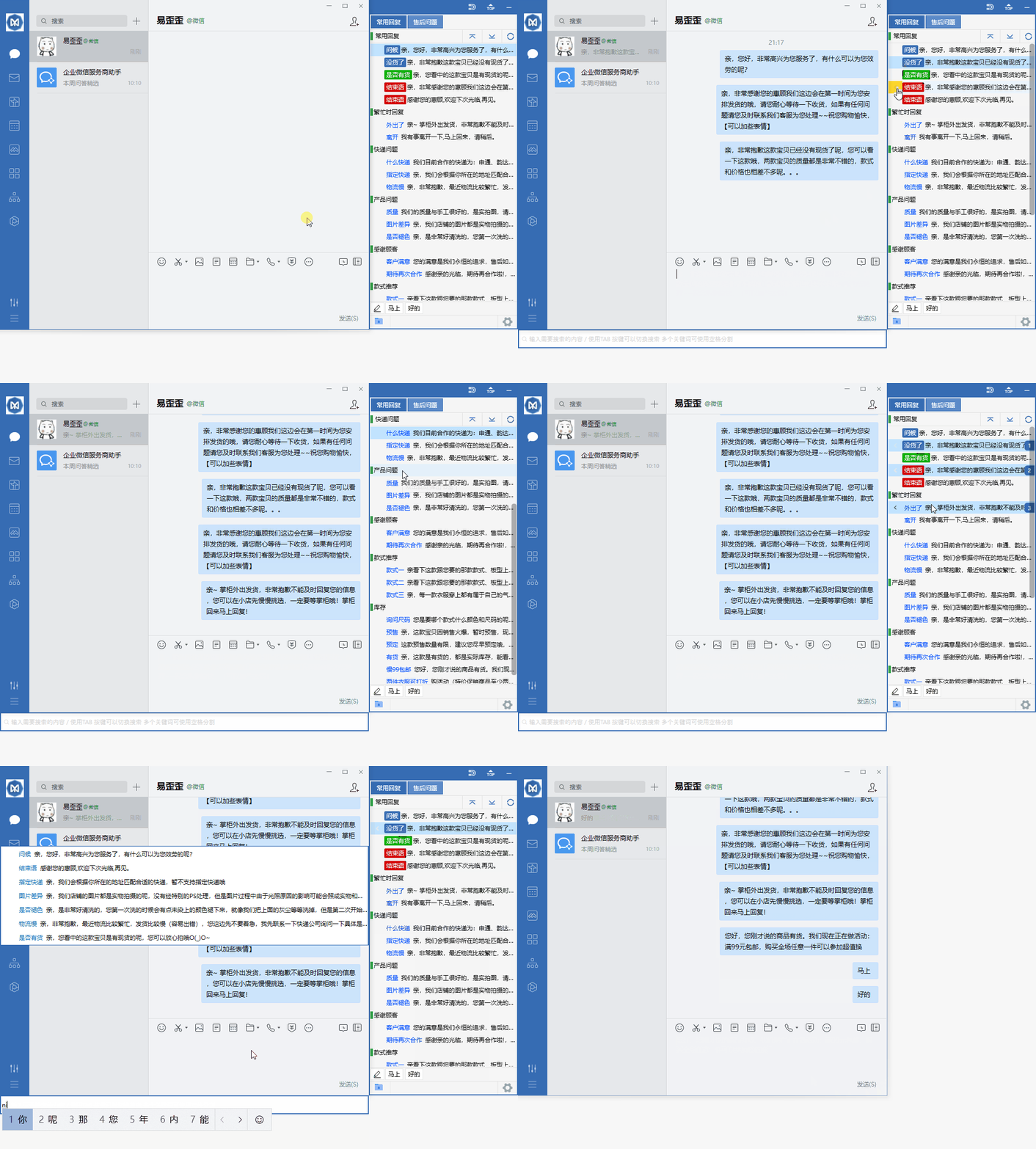
Organize daily customer service communication with reply categories, quick input, and team sync.
Start with quick phrases and organize common items according to your actual work needs.
Combine data grouping with team sync to keep daily operations clearly organized.
Use desktop communication in a familiar interface and adjust your settings as needed.
View options related to quick phrases and confirm device and version information before getting started.
Select your device system in the download center and check the corresponding version name.
Open the installation file and follow the on-screen installation prompts on your device to complete the setup.
Yiyiwa is designed for everyday chat scenarios that require stability, speed, and a clear interface, and is compatible with mainstream devices. No complex setup is needed—after installation, you can quickly enter conversations, keeping work and life communication more focused.
Covers mainstream desktop and mobile systems, allowing you to switch between multiple devices while keeping basic message sync.
After downloading, follow the prompts to complete installation. No complex registration is required on first launch, making it ideal for quick personal use.
The conversation list and message area are clearly separated, reducing unnecessary distractions and making it easier to focus on viewing and replying to messages.
First check whether your device's system version is within the supported range and whether the installation package is complete. If it still won't start, try exiting security software and reinstalling to avoid the installation process being blocked.
Under a normal network connection, logging into the same account on different devices will sync basic message records. If synchronization is delayed, try logging in again or switching networks and then check.